Best controller overlay tools for OBS in 2026
We compared the main tools streamers use to show controller inputs live on Twitch, Kick and TikTok, looking at setup time, customization, transparent background support and price.
Padcraft publishes this comparison and is one of the four tools in it. The facts about the other tools come from their own pages and repositories, checked in October 2026, and we say where they do something better. Try more than one before you decide.
What should I check before choosing a tool?
We compared the tools on the points below. They are also the questions to ask about your own setup.
- SetupA browser link needs nothing installed. A plugin or a desktop app has to be installed on the computer that streams and kept compatible with it.
- SoftwareSome tools work only in OBS Studio, others in any app that accepts a browser source.
- Your controllerYour exact model should be drawn with its real layout, touchpad and stick positions.
- CustomizationMatching your colors and adding your logo can take a visual editor, or CSS, textures and configuration files.
- TransparencyThe background should be transparent without a chroma key filter.
- MaintenanceA tool that nobody updates can stop working after an update of OBS or of your operating system.
- PriceFree, donations or a paid link, and what you keep if you stop paying.
How do they rank?
Padcraft
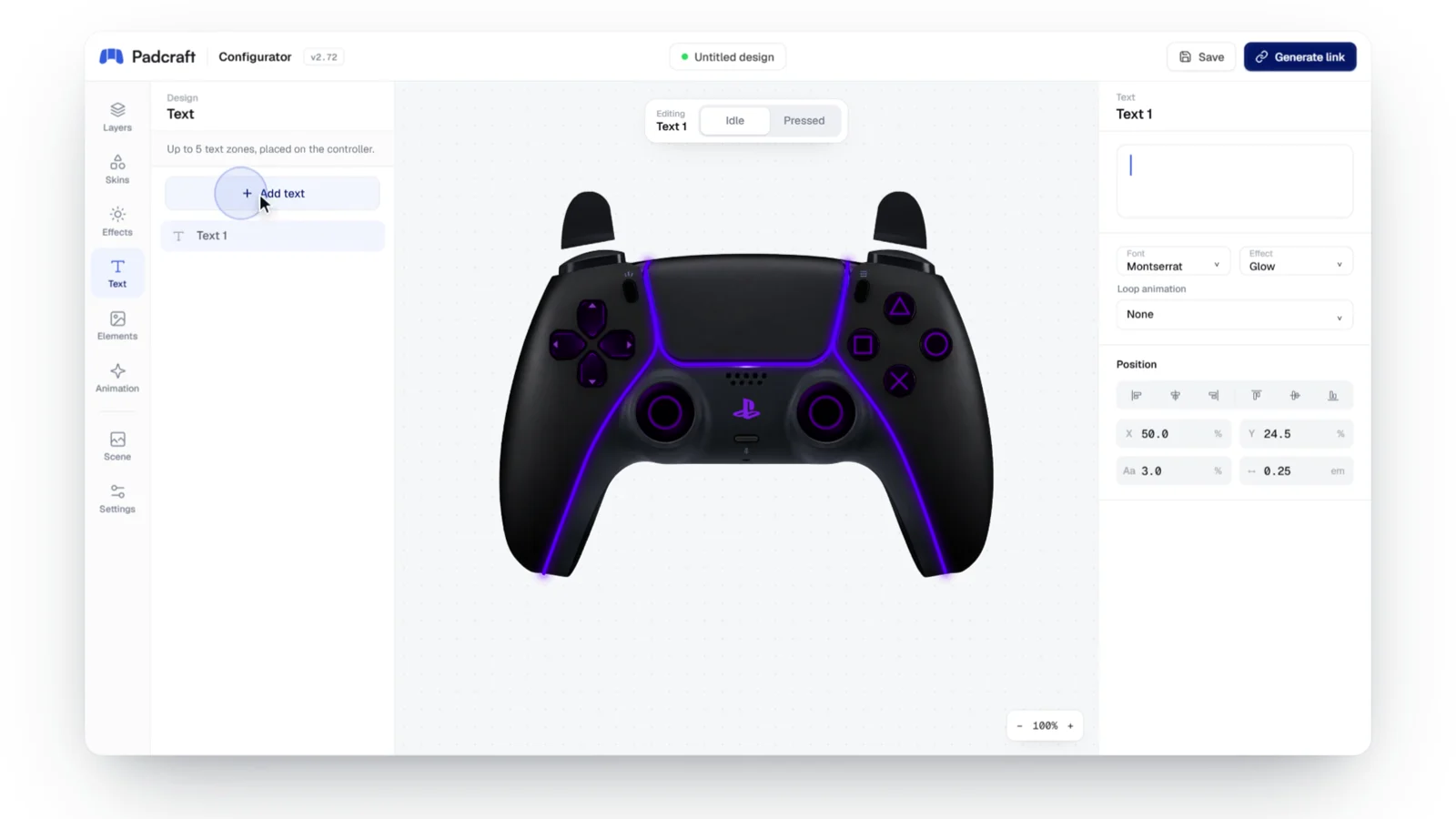
Our pickA configurator that runs in the browser. You connect your controller, change colors, artwork and text in a visual editor and watch the result react to your inputs, then generate a link with a transparent background for your streaming app. Nothing is installed. The shop also sells designs made by other creators.
Strengths
- Visual editor with a live preview
- Transparent background by default
- Works in any app with a browser source
- Designs by other creators in the shop
Trade-offs
- Newer, with a shorter track record
- Controllers only, no keyboard or mouse display
- The streaming link needs an account and is paid
Gamepad Viewer
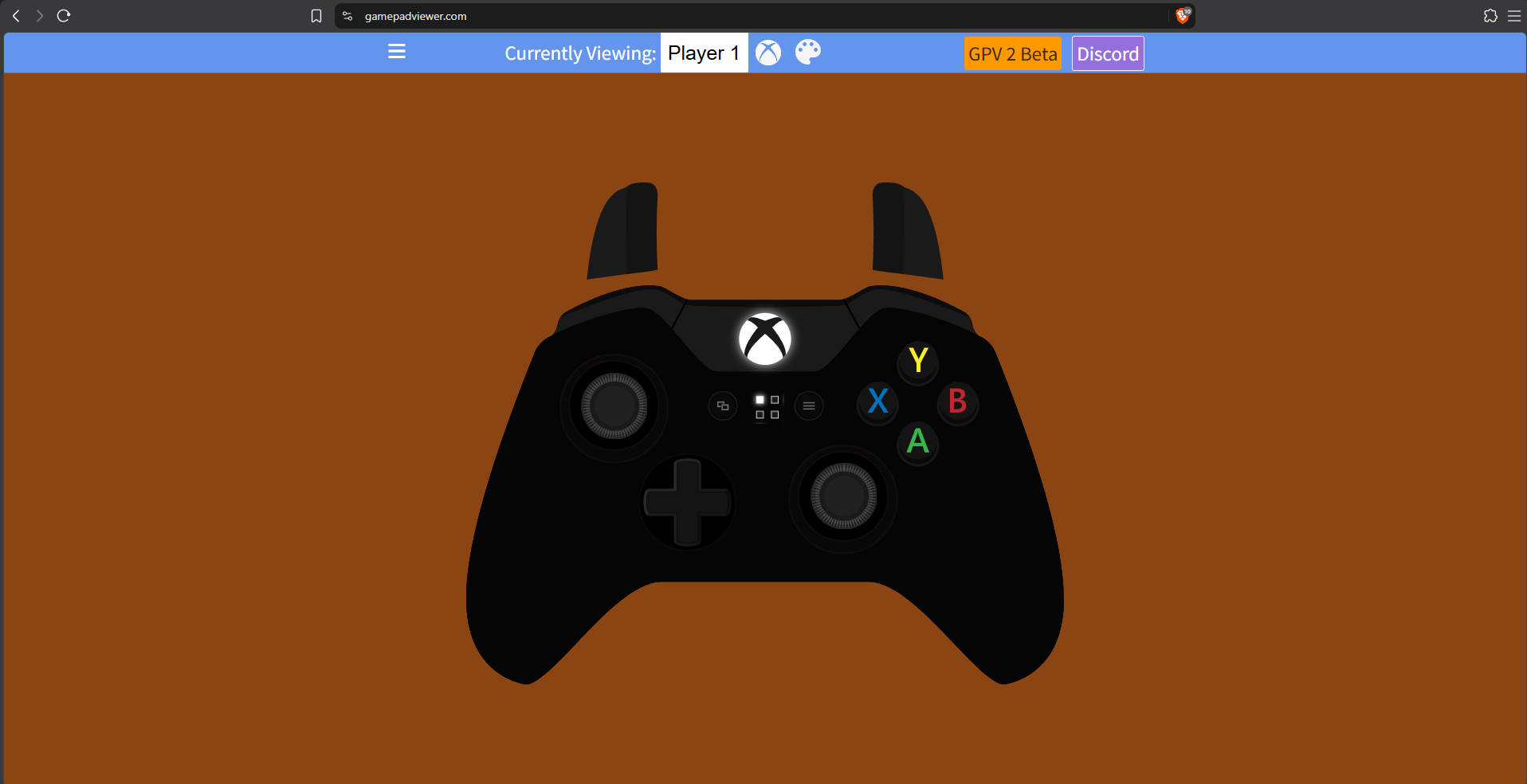
Gamepad Viewer is a web page you add as a browser source. It needs no account, picks the player and the skin from URL parameters, and accepts your own CSS file to restyle a skin. Its skins cover the Xbox One, Xbox 360, PlayStation 3 and 4, GameCube, NES and Nintendo 64, plus a fight pad and a fight stick; the site lists no PS5 skin. It is free and funded by donations. The latest entry in its changelog is version 0.7.0, dated March 8, 2017.
Strengths
- No account and no cost
- Many console skins, including retro pads
Trade-offs
- Custom looks require writing CSS
- No changelog entry since 2017
Input Overlay (OBS plugin)
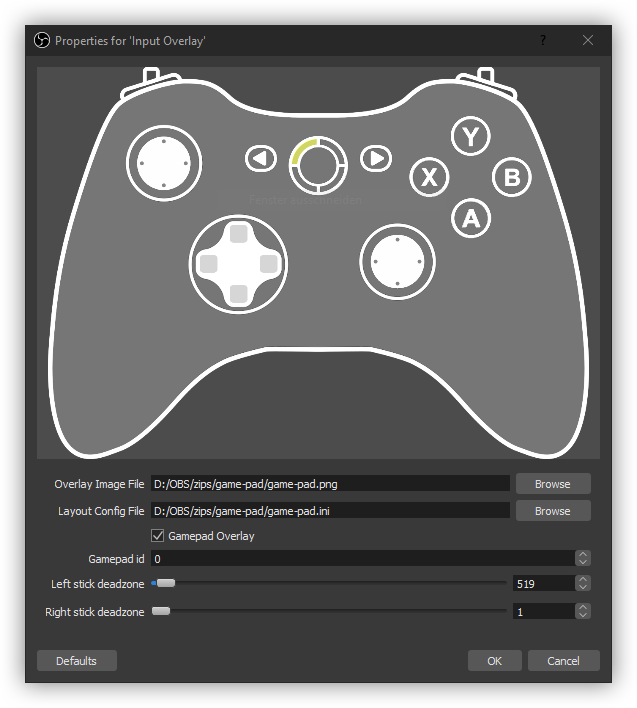
Input Overlay is an open-source OBS Studio plugin by univrsal. It adds a native source that draws keyboard, mouse and gamepad inputs from textures and configuration files, with presets for each. Version 5.1.2, released on October 25, 2026, requires OBS Studio 33 or newer and is built for 64-bit Windows and Linux, with no macOS version. It can also send inputs from a gaming PC to a separate streaming PC. Our plugin vs Browser Source guide walks through the setup.
Strengths
- Native OBS source, actively maintained
- Keyboard and mouse as well as gamepads
- Remote input for two-PC setups
Trade-offs
- OBS Studio only, on Windows or Linux
- Custom looks need textures and config files
- Each release supports a specific range of OBS versions
Open Joystick Display
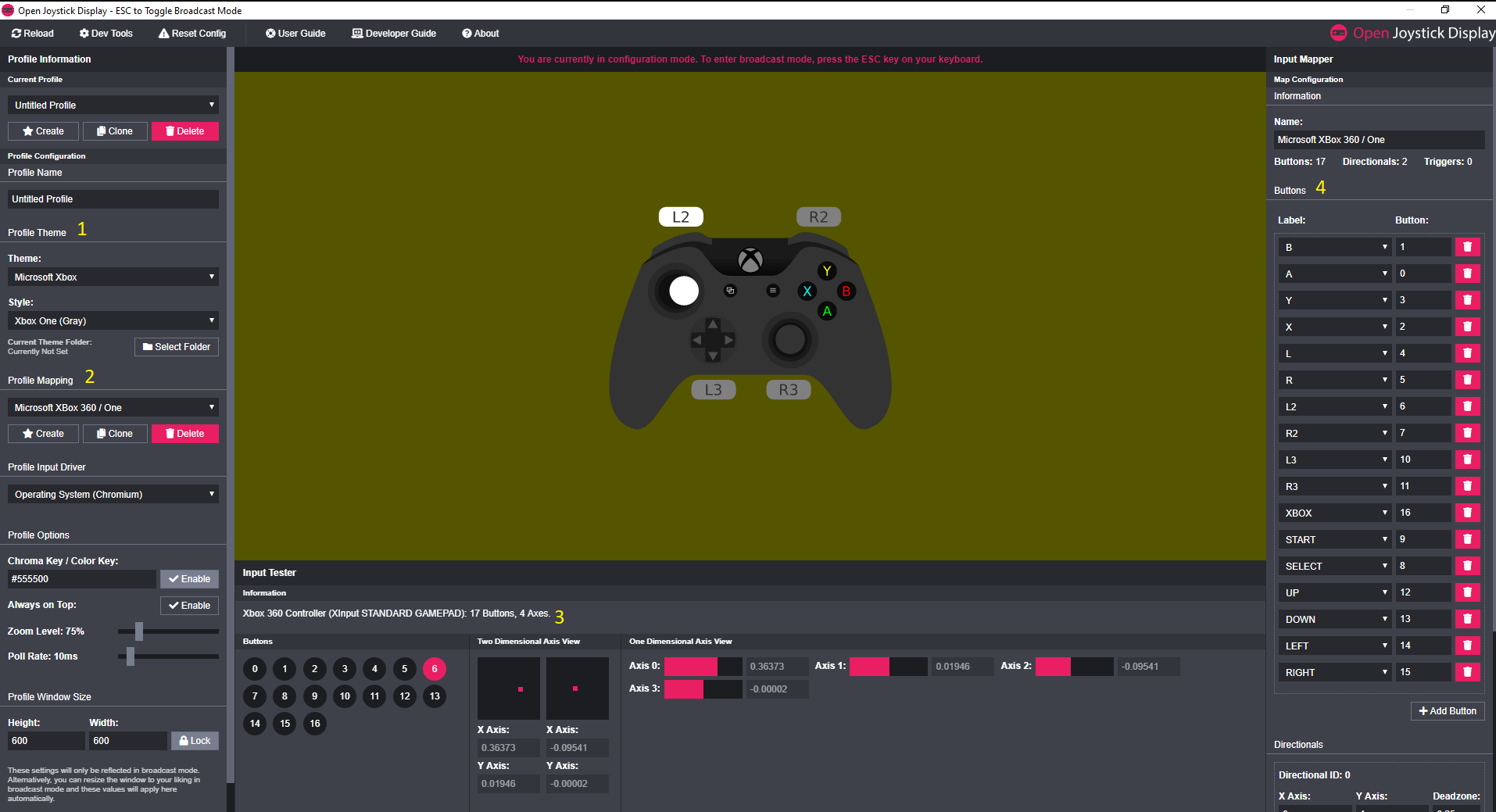
Open Joystick Display is an open-source desktop app that draws your gamepad in its own window, which you then add to your scene with a window capture. Its author has discontinued it. The original repository is no longer online, and a surviving copy of the project carries the author's notice. Existing installs may keep working, but nobody will fix them if a system update breaks them.
Strengths
- Free and open source
- Works outside OBS, with an input tester
Trade-offs
- Discontinued, with no official download page
- Desktop install plus a window capture
How do they compare side by side?
| Tool | Runs as | Customization | Works in | Last update | Price |
|---|---|---|---|---|---|
| Padcraft | Browser link | Visual editor | Any app with a browser source | October 2026 | Free to design, links from $4.99 |
| Gamepad Viewer | Browser link | URL parameters and CSS | Any app with a browser source | March 2017 (changelog) | Free, donations |
| Input Overlay | OBS plugin | Presets, textures and config files | OBS Studio 33 or newer, Windows and Linux | October 2026 (5.1.2) | Free, open source |
| Open Joystick Display | Desktop app | Themes and an input mapper | Any app, through a window capture | Discontinued | Free, open source |
Which controller overlays work with OBS, Streamlabs and TikTok LIVE Studio?
What decides it is the kind of source your app accepts. A browser overlay such as Padcraft or Gamepad Viewer is a web page: the app renders it with its built-in browser, and the page reads the controller through the Gamepad API. A plugin such as Input Overlay reads the controller through the operating system and draws inside OBS, so it exists only where it is installed and must follow OBS updates.
- OBS StudioAll four work. Browser overlays use a Browser Source, Input Overlay adds its own source, and Open Joystick Display needs a Window Capture.
- StreamlabsBrowser overlays work as a Browser Source. Input Overlay is an OBS Studio plugin and does not load in Streamlabs. Open Joystick Display can be captured as a window.
- TikTok LIVE StudioBrowser overlays work through a Web Source. OBS plugins do not carry over.
- Two computersInput Overlay can send inputs from the gaming PC to the streaming PC. A browser overlay reads the controller connected to the computer that renders it, so it fits a single-PC setup.
For the exact menus and recommended sizes, follow the guides for OBS and Streamlabs or TikTok LIVE Studio.
Do these overlays support PS5, PS4 and Xbox controllers?
Two things have to be true: the computer must detect the controller, and the skin must match its real button layout. Xbox controllers usually report a standard layout. PlayStation and third-party pads can report differently depending on the cable or Bluetooth link, the driver and any remapping software.
- Padcraft and Gamepad Viewer read whatever the browser reads. If the controller responds in the gamepad tester, a browser overlay can display it.
- Input Overlay reads gamepads through the SDL library. Less common controllers may need their buttons mapped by hand in a preset.
- Open Joystick Display accepts controllers that the operating system recognizes and has an input mapper to match buttons, sticks and triggers to a theme.
If the controller appears but the buttons are wrong, follow the button mapping guide. If it does not appear at all, use the controller detection checklist. Padcraft's controller testing tools also tell you whether a problem comes from the pad itself before you install another viewer.
Which tool fits my use case?
- A custom design in any streaming appPadcraft. Edit the design visually, then paste one transparent link into your scene. Open the configurator.
- A basic display with no accountGamepad Viewer, if one of its skins matches your controller.
- Keyboard and mouse, or two PCsInput Overlay, if you stream with OBS Studio on Windows or Linux.
- Open Joystick Display already set upIt can keep running, but plan a replacement, since no update will come.
To add a browser overlay to your scene, follow the step-by-step setup guide.
Controller overlay FAQ
Why did my input overlay stop working after an OBS update?
A plugin is built for a range of OBS versions. Input Overlay needed version 5.1.1 to load in OBS Studio 33, released on October 23, 2026, and version 5.1.2 now requires OBS 33 or newer, so update the plugin together with OBS. Version 5.1 also changed the keyboard key codes; old presets are converted automatically. Browser overlays are not affected by OBS updates because they only use the Browser Source.
Can I use a controller overlay on a Mac?
Input Overlay publishes builds for Windows and Linux only, so it is not an option on macOS. A browser overlay depends on your streaming app's browser source rather than on a build for your system. Check that the Mac detects your controller in the gamepad tester before you rely on it on stream.
Is a browser overlay slower than a plugin?
Not in a way viewers notice when it is set up correctly. When a browser overlay looks late, the cause is almost always a Browser Source setting, such as a custom frame rate lower than your scene. The overlay delay checklist covers each setting to check.
Why does my controller show the wrong buttons in one tool but not another?
The tools do not read the controller the same way. A browser overlay receives the browser's standard button layout, while a plugin or a desktop app reads the device through the operating system or its own input library. A pad in DirectInput mode, or one routed through Steam Input or another remapper, can therefore show correctly in one and swapped in the other.
Design it, preview it with your own controller, then generate a transparent link for OBS, Streamlabs or any app with a browser source.
Create my overlay